Viewing Donations
View and filter your donation records to track fundraising progress and analyze donor behavior.
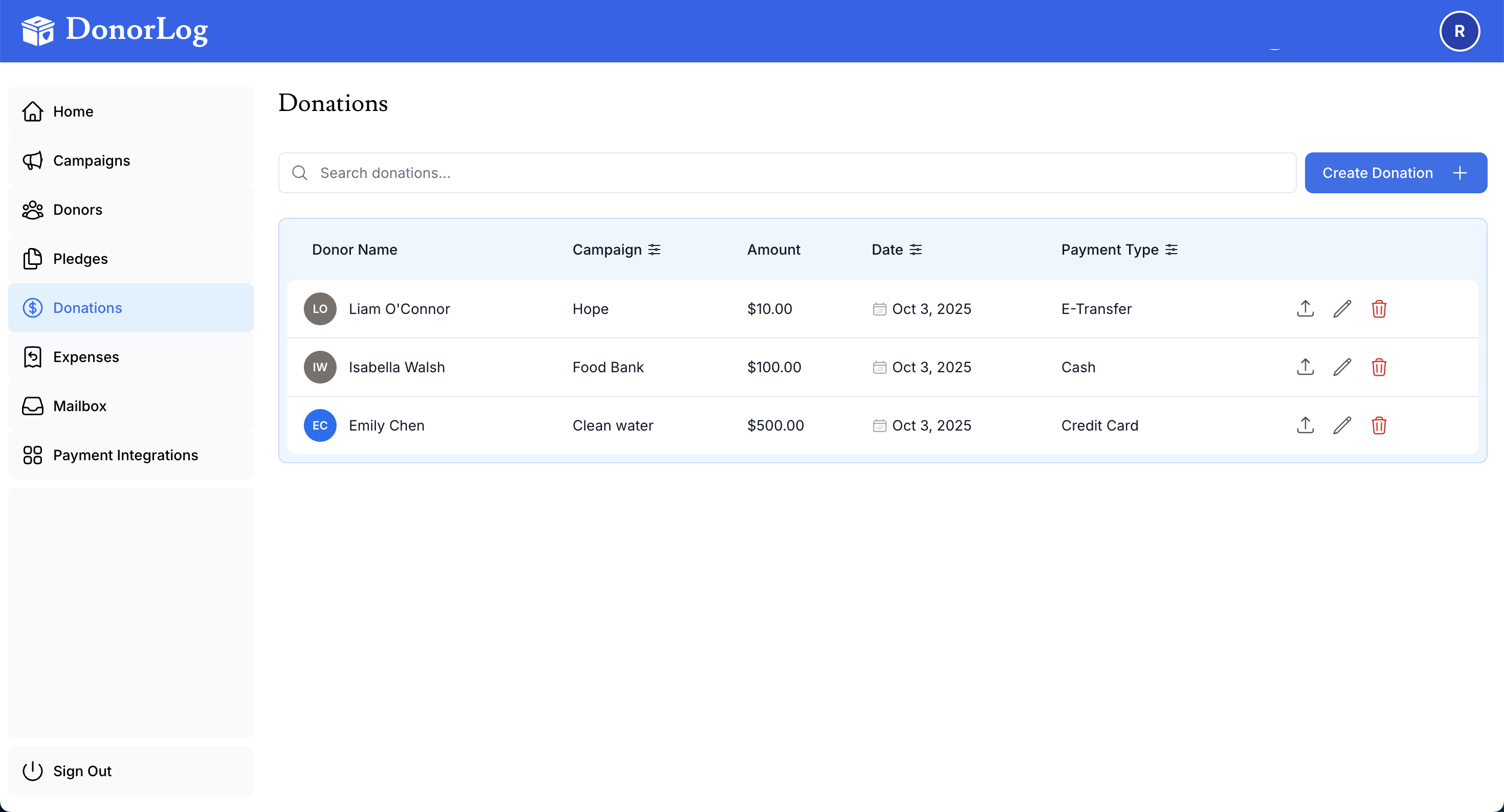
Viewing All Donations
- Go to the Donations page from the main navigation
- See a list of all donations displayed in a table
- Use filters to narrow results by various criteria
Quick Stats
The donations page displays summary statistics at the top, including total donations, average donation amount, and donation count for the selected period.
Filtering Donations
Narrow down your donation list using powerful filters:
Available Filters
- Date Range: Select specific time periods (today, this week, this month, custom range)
- Campaign: Show donations for specific campaigns
- Donor: View all donations from a particular donor
- Payment Type: Filter by Cash, Cheque, Credit Card, or E-Transfer
- Amount Range: Find donations within a specific amount range
- Source: Filter by donation source (Manual, Square, PayPal, etc.)
Combining Filters
You can use multiple filters simultaneously to find exactly what you're looking for. For example, show all credit card donations over $100 from January 2024.
Donation Details
Each donation shows:
- Donor name
- Campaign
- Amount
- Date
- Payment type
- Status